Every workflow your team
actually runs, digitized.
Seventeen tightly integrated modules that replace the spreadsheet entirely — and work inside any concrete pit garage on earth.
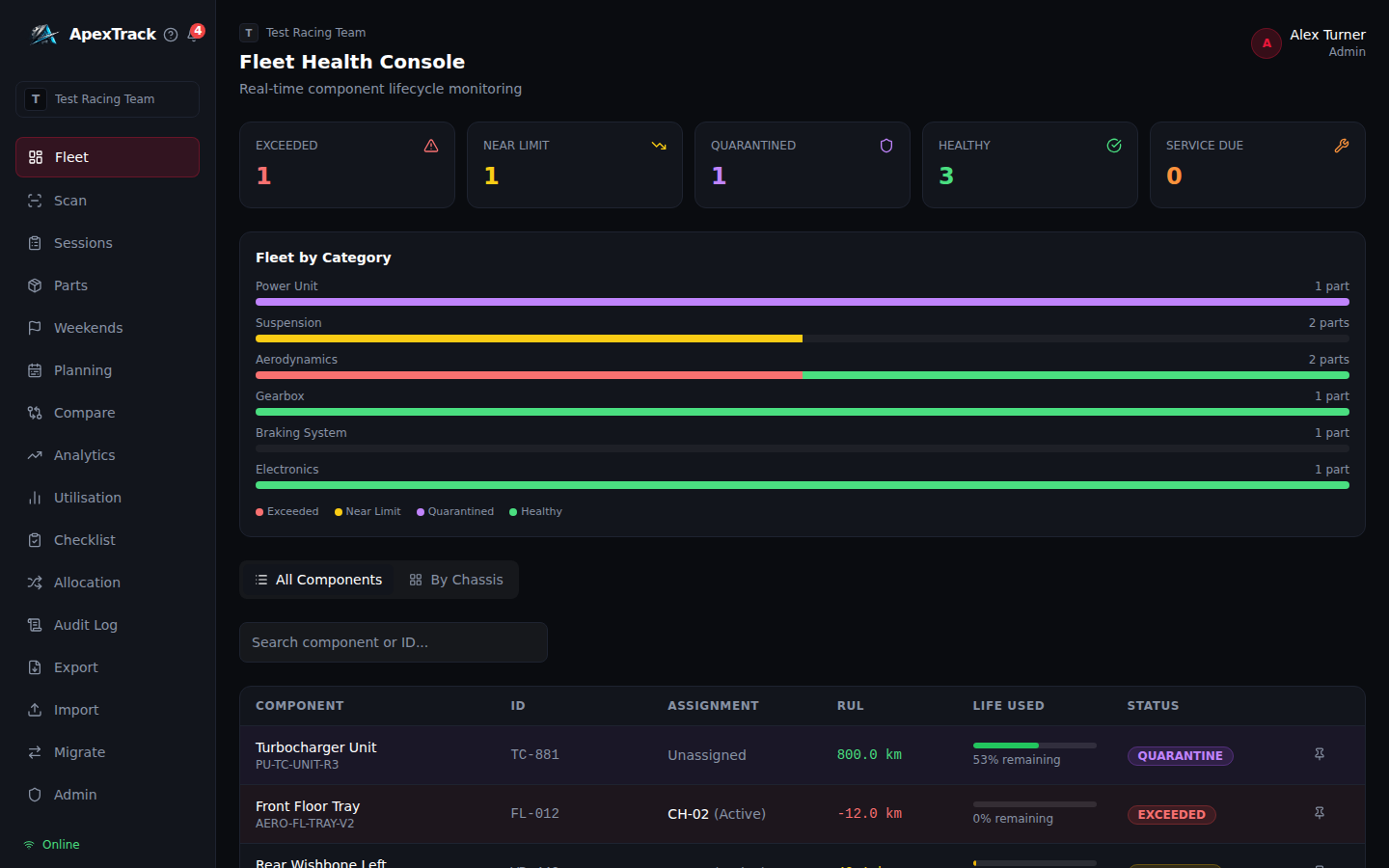
Fleet Health Console
High-density dashboard giving race engineers an instant traffic-light view of component health across all active chassis. Critical parts surface first — always.
- Live Remaining Useful Life bars per component
- KPI tiles: Exceeded, Near Limit, Quarantined, Service Due, Healthy
- All Components view — sortable by severity, free-text search
- By Chassis view — per-vehicle health status, alert summary, component list
- Category health breakdown: stacked bar per part category
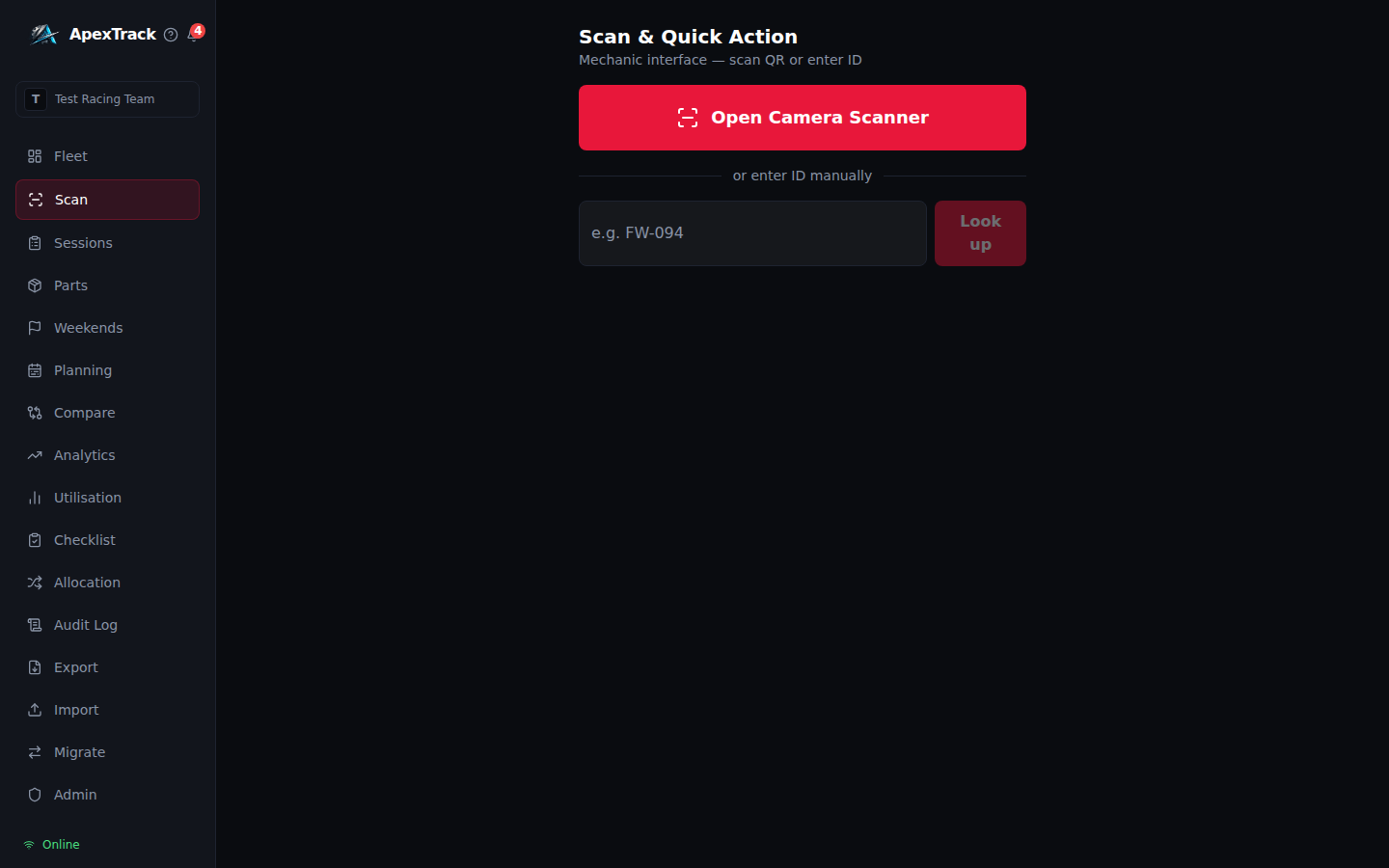
QR & Barcode Scan + Quick Action
Mobile-first interface built for mechanics in protective gear in low-light garages. Supports QR codes, CODE_128 barcodes, EAN-13, and Data Matrix — every label format in use in professional motorsport, no dedicated hardware required.
- Camera scan or manual ID fallback — no dedicated hardware
- Instant component card with RUL, calibration warnings, location
- Swap chassis assignment in one tap
- Flag Damage triggers immediate quarantine lockout and batch cascade
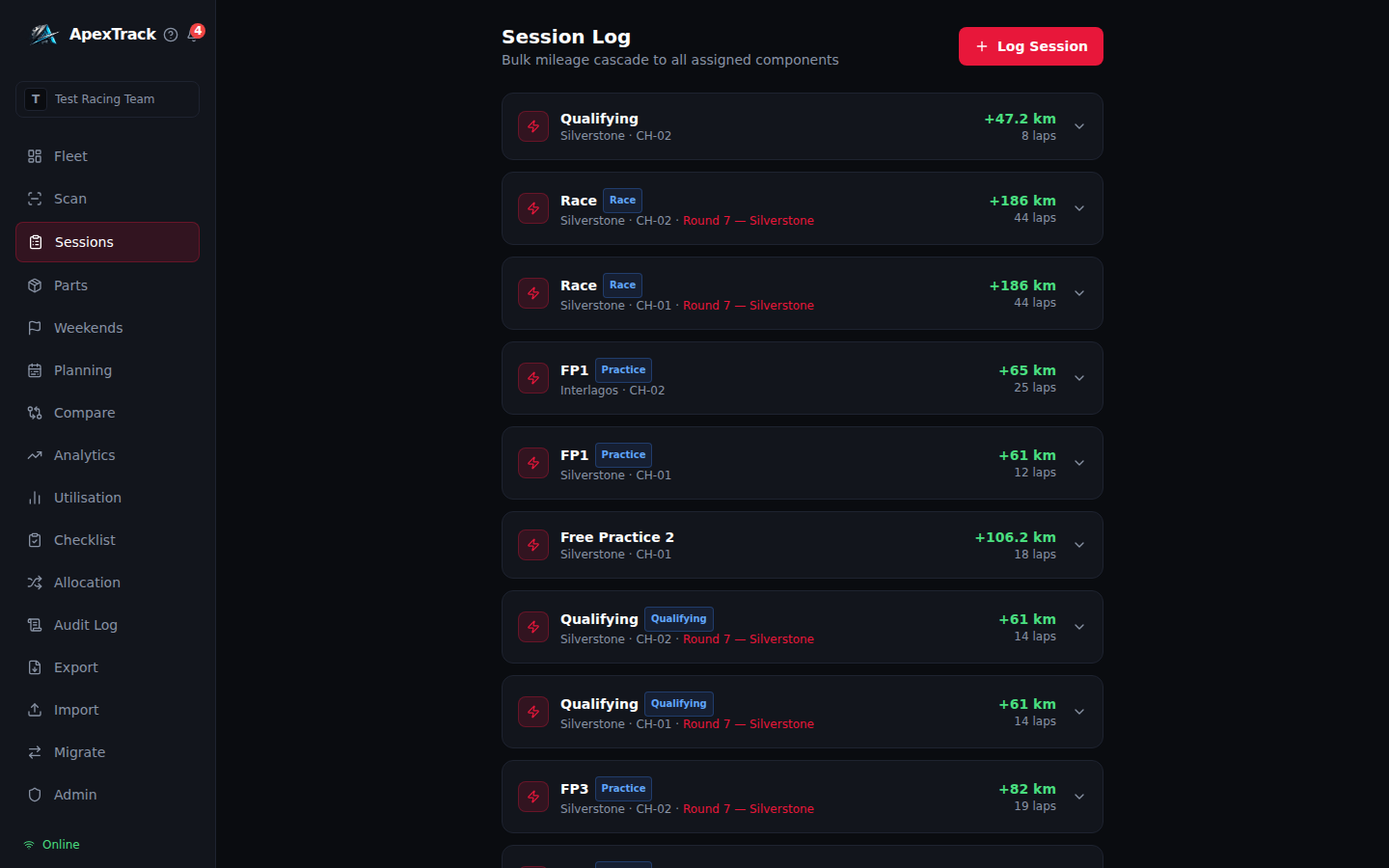
Session-End Bulk Update
Log one session record. The system automatically cascades the distance to every component assigned to that chassis in a single atomic transaction — no individual updates, no missed parts.
- Single entry updates an entire chassis in under 10 seconds
- Atomic transaction — no partial updates
- Full session history with circuit, laps, and distance
- Works fully offline, syncs when connectivity resumes
Beyond Mileage — Calibrations & Service Intervals
Professional lifing tracks more than distance. ApexTrack mirrors top-level motorsport standards with named calibration measurements and independent service interval triggers.
- Named measurements: clutch plate thickness, brake disk depth, DRS actuations, driveshaft twist — any numeric threshold
- Direction-aware limits: wear metrics (lower is bad) and count metrics (higher is bad)
- Service intervals: independent inspection trigger at configurable km, separate from the life limit
- Calibration breaches trigger in-app alerts and push notifications
- Up to 10 calibration entries per component
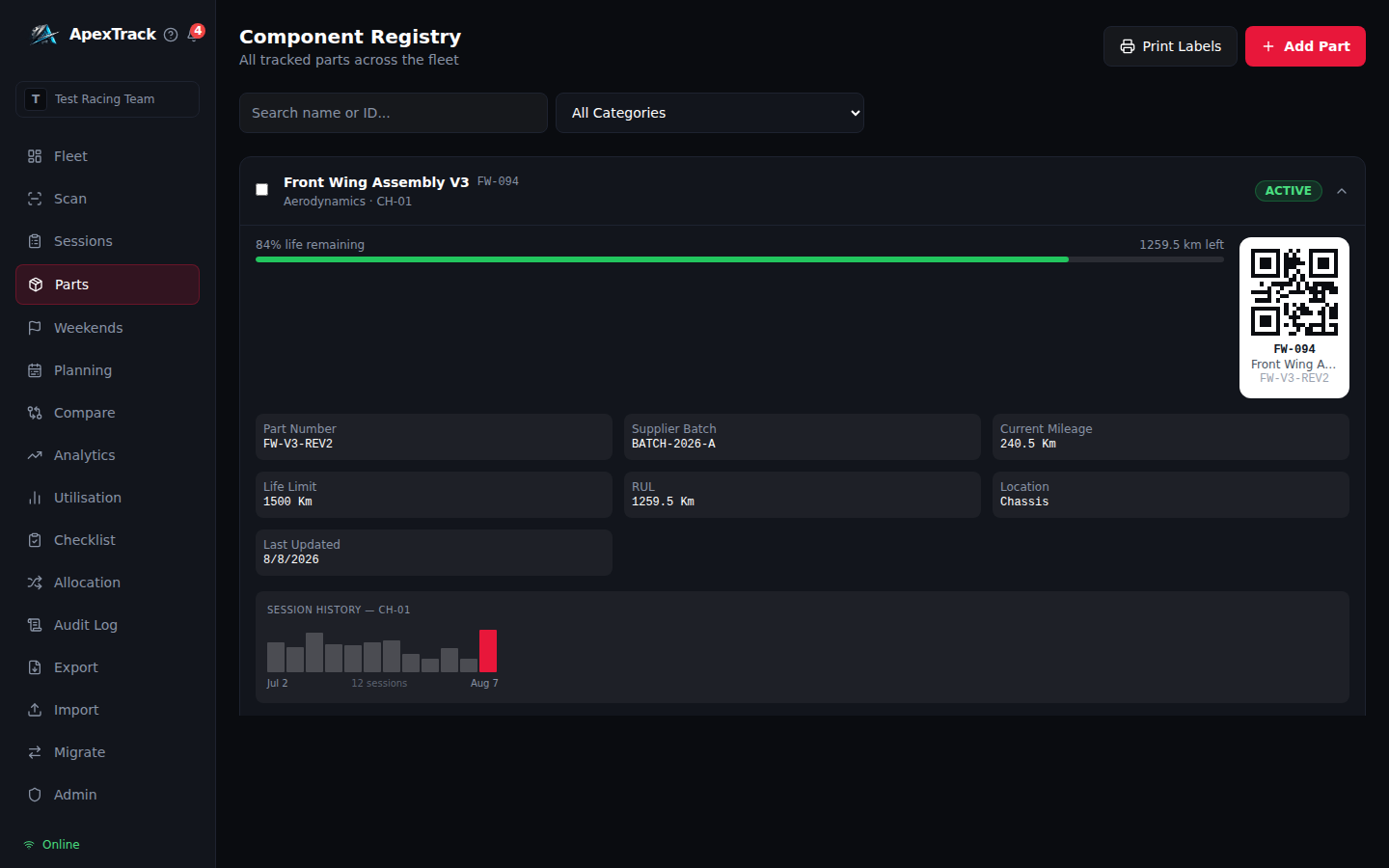
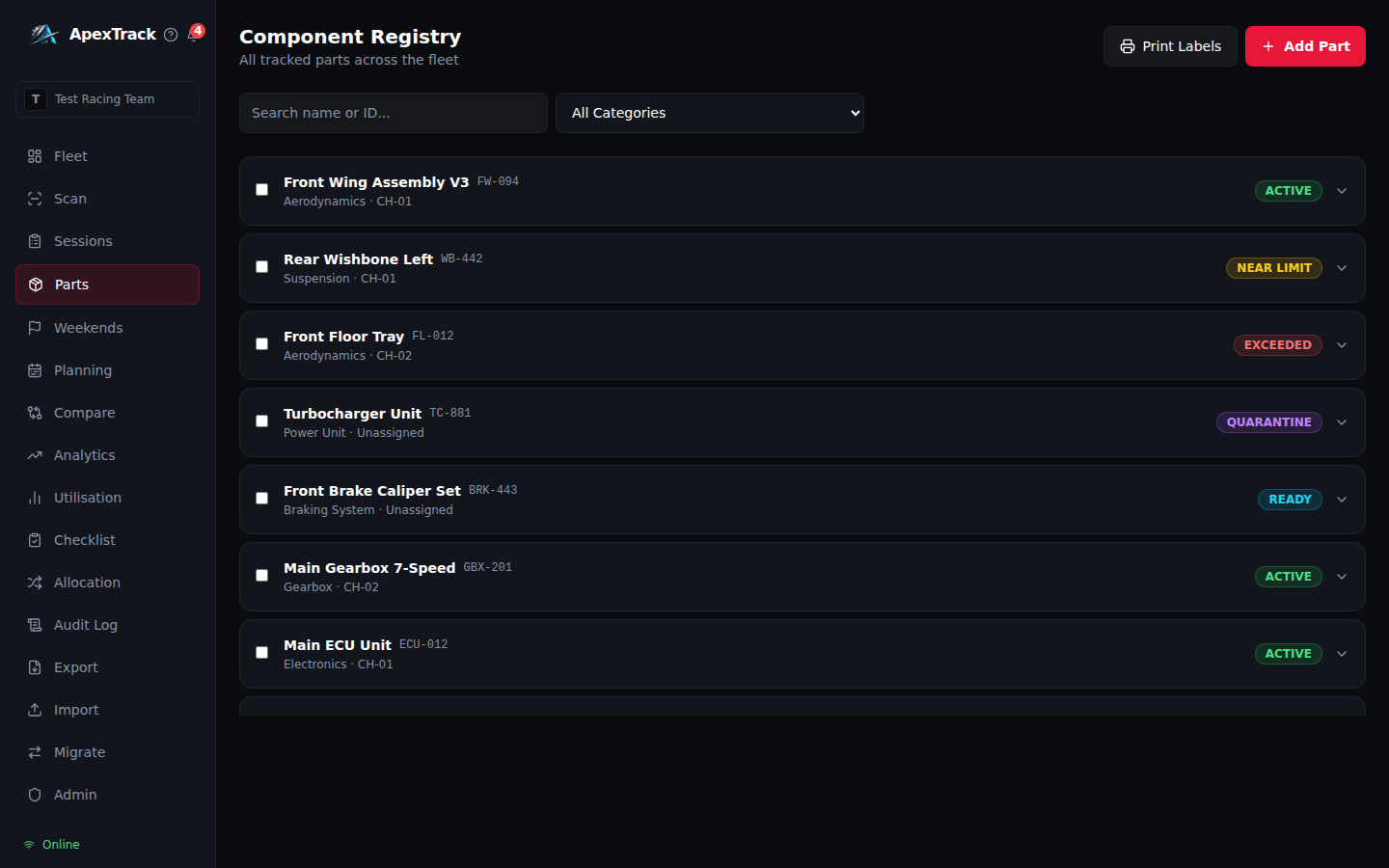
Full Part Lifecycle & Location Tracking
Every component in your fleet with its full identity, engineering specification, location, and live lifecycle status in one place.
- Serialized QR code identity and supplier batch tracking
- 7-state location taxonomy: On Chassis / Workshop / Inspection Bay / Stores / Transit / Manufacturer / Retired
- Service interval progress bar and next-service km
- Calibrations table with per-measurement status badges
- Full inline editing with audit entry on every change
- Photo gallery — attach damage or inspection photos per component
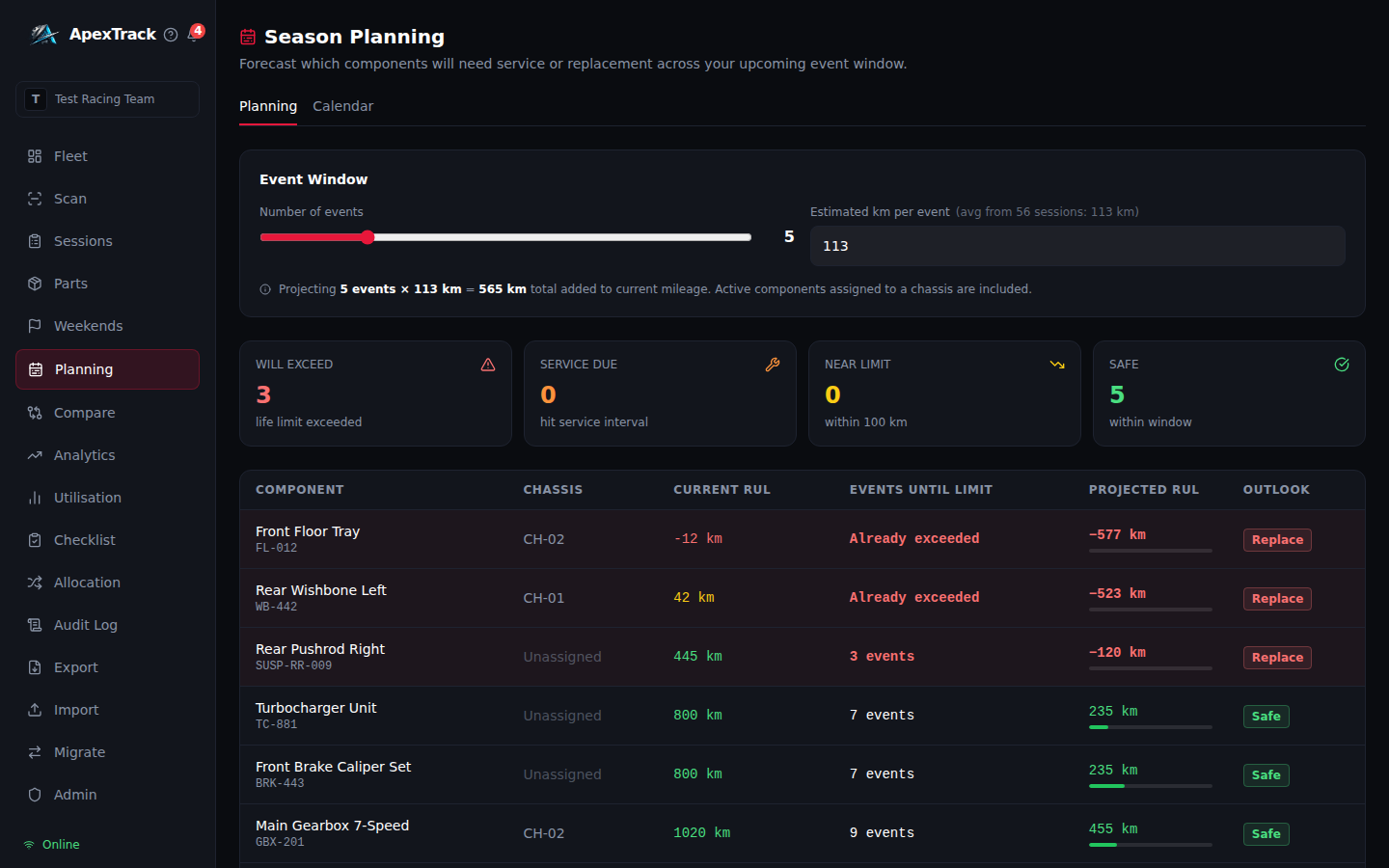
Allocations, Calendar & Forward Health Forecast
Enter your remaining race calendar and get a component-by-component forecast of what will exceed its limit, need service, or fall near-limit before the season ends — before it's a problem on the grid.
- Configure event window (1–20 events) and km per event
- km/event pre-fills from your team's historical session average
- Projected status per component: WILL EXCEED / SERVICE DUE / NEAR LIMIT / SAFE
- Visual month-grid calendar with event CRUD and per-event component projections
- Equivalent to LifeCheck's Allocations add-on — included as standard
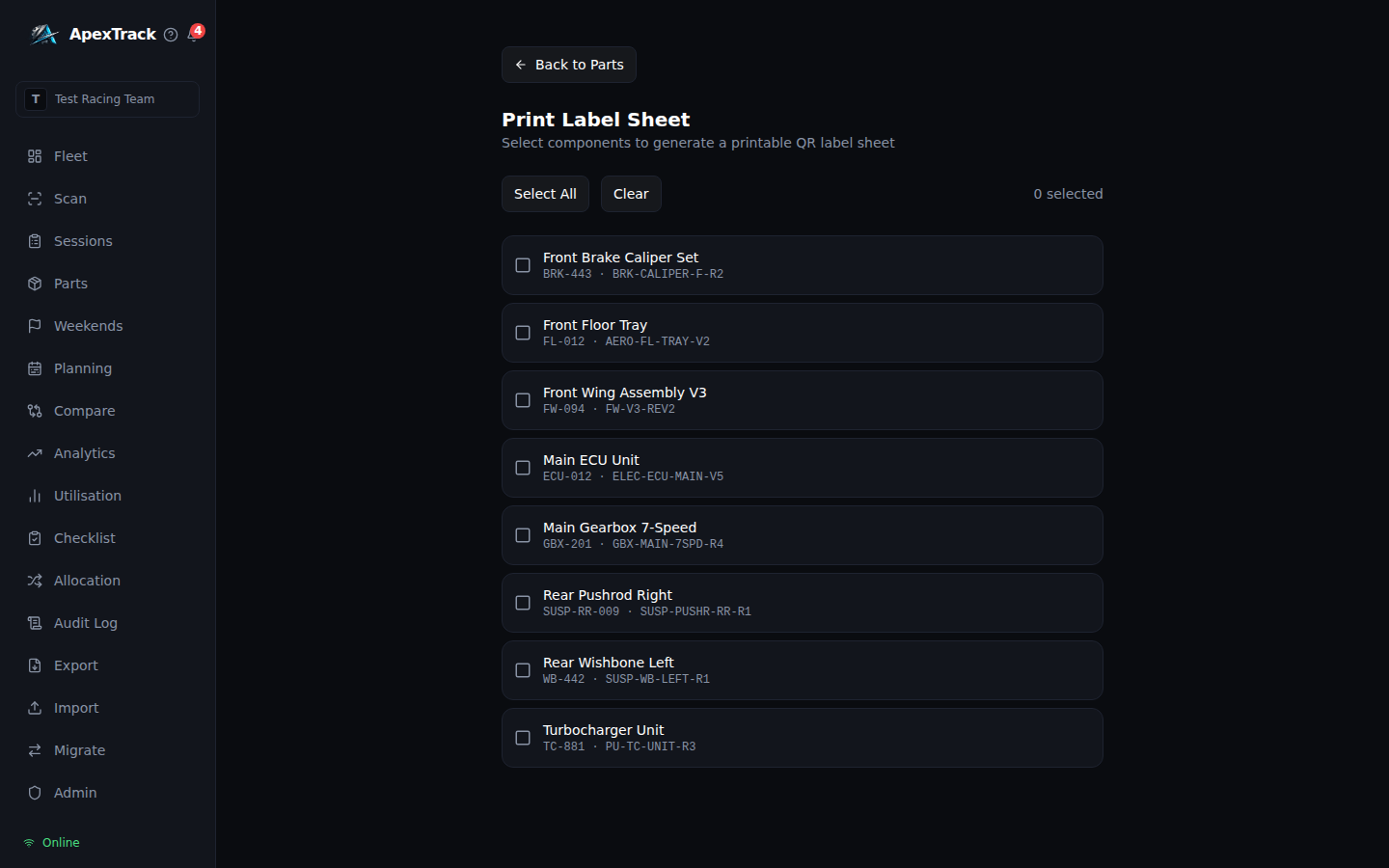
QR Code Generation & Label Printing
Generate QR codes for any component and print physical label sheets directly from the platform — no external tool required.
- QR badge visible on every component detail card
- Select components, preview label layout, print or save as PDF
- 3-column format compatible with standard Avery label stock
- Labels include QR code, component ID, name, and part number
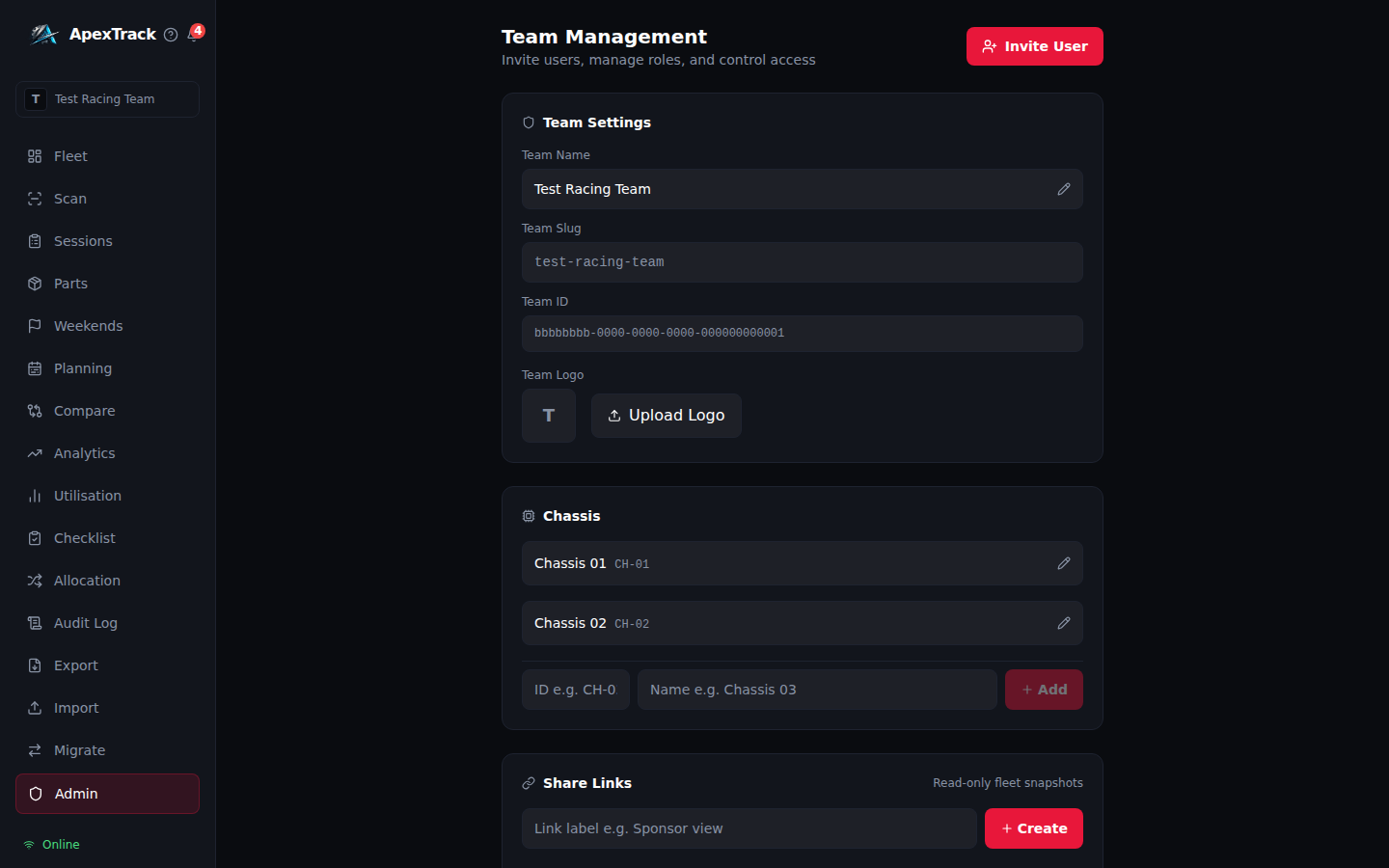
Team Management & Role-Based Access
Invite team members by email and assign roles. Permissions are enforced at every level — UI, API, and database — so the right people can only do the right things.
- Invite by email — setup link sent automatically, no manual provisioning
- Three roles: Mechanic, Race Engineer, Admin
- Mechanics scan and quarantine; Engineers log sessions and approve NDT clearances; Admins manage the team and export data
- Multi-tenant isolation — teams never see each other's data at the database level
Realtime Multi-Device Sync
Every session logged from the pit lane and every component status change reflects on every device in the team the moment it happens. No refresh, no polling.
- Supabase Realtime subscription scoped to the team's components and sessions
- Debounced pull prevents thundering-herd on burst writes after sessions
- Conflict-safe: remote updates only applied when newer than local state
- Works alongside offline-first — syncs the moment connectivity returns
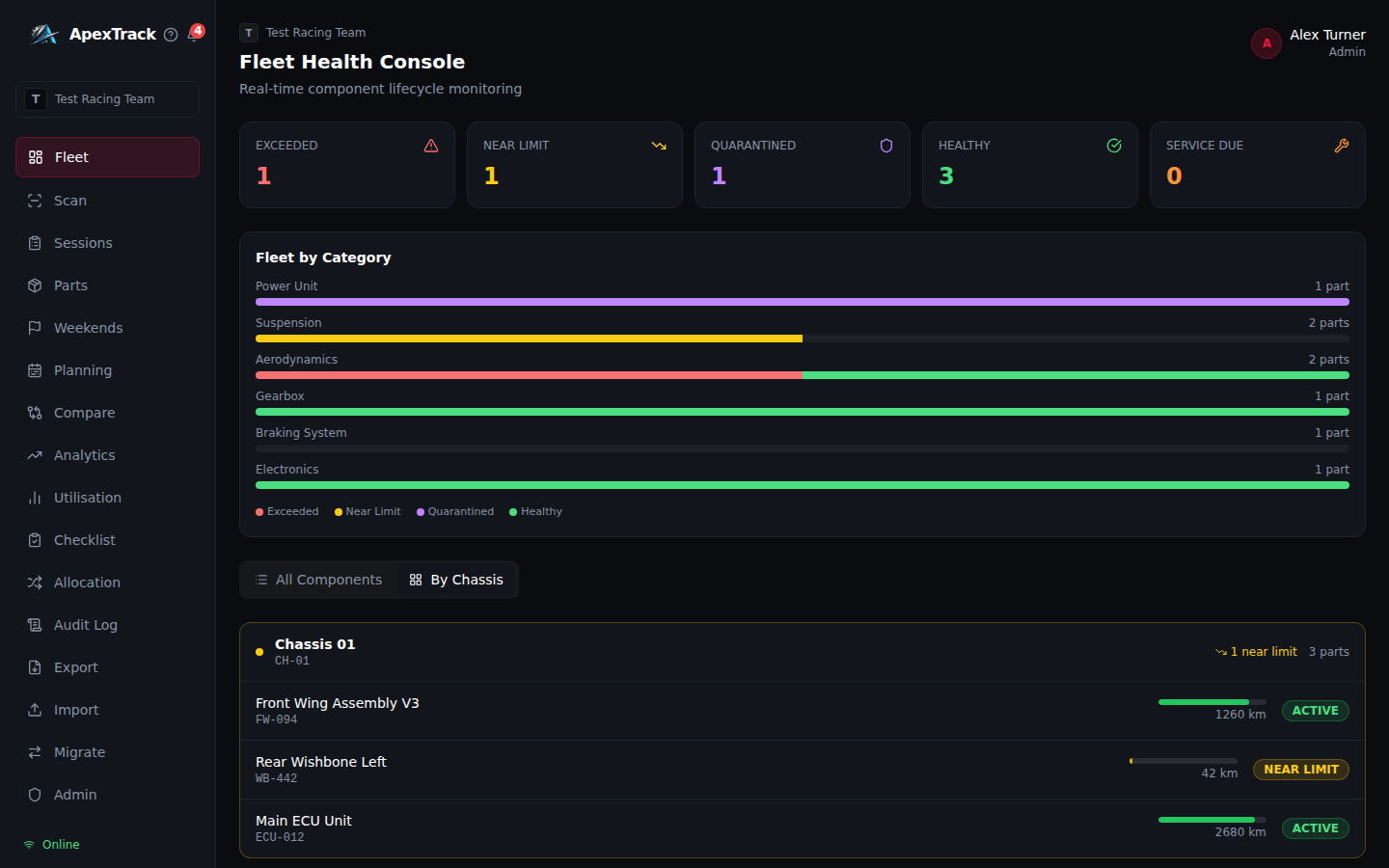
Photo Attachments
Attach photos to any component for damage documentation, before/after inspection records, or part identification. Stored securely in team-private cloud storage.
- Upload JPEG, PNG, or WebP directly from the component detail accordion
- Private storage bucket with team-folder scoped access policies
- Signed 1-hour access URLs — photos are never publicly accessible
- Photo additions logged to the immutable Audit Trail
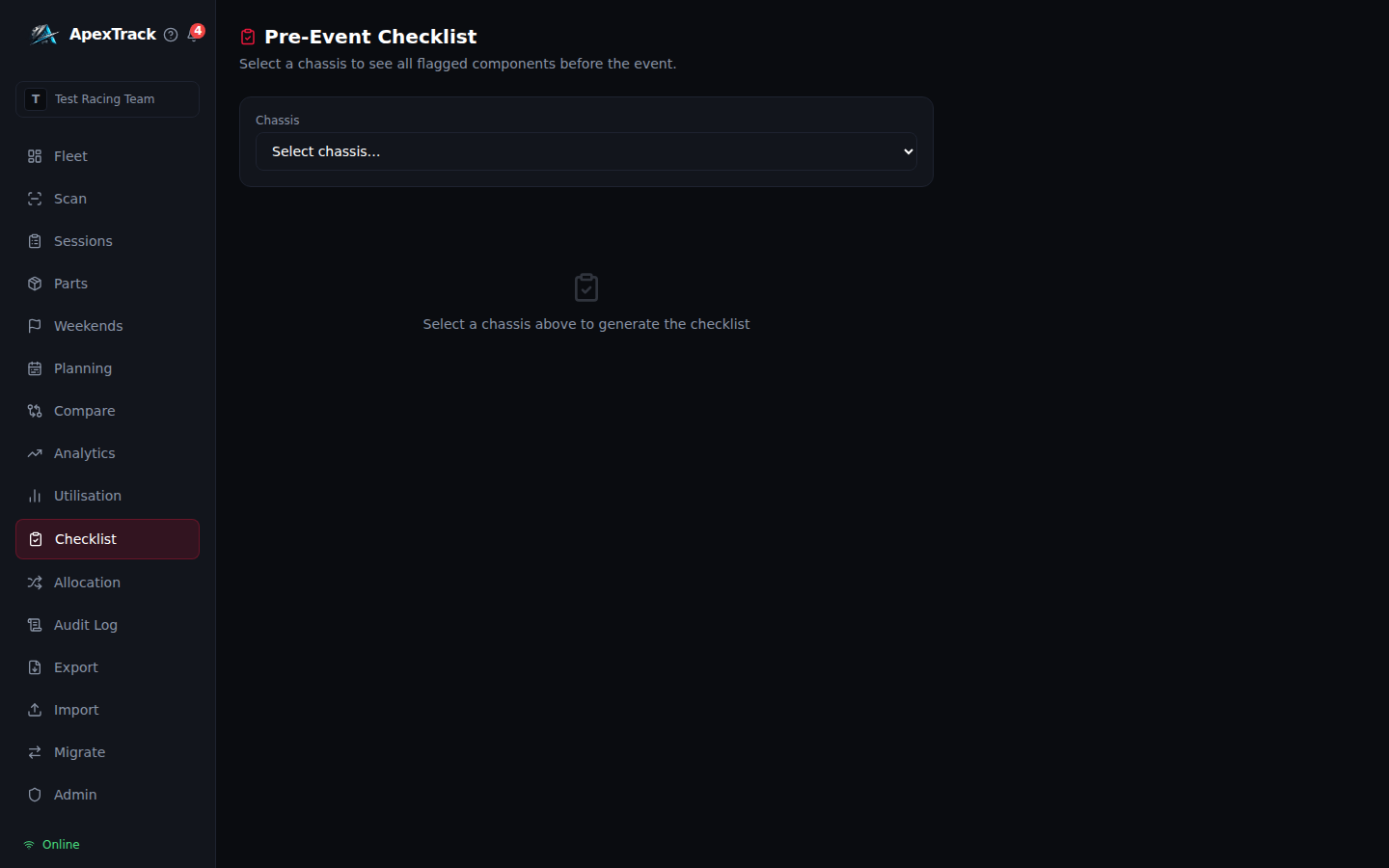
Pre-Event Safety Checklist
Select a chassis before an event and get an instant, auto-generated safety checklist derived from live component state — no manual inspection forms to fill out.
- Five risk categories: Exceeded Life, Near Limit, Service Due, Calibration Exceeded, Quarantined
- Collapsible sections with badge counts — "All Clear" state when every component passes
- Export a signed inspection PDF with engineer name and date block
- Always reflects current fleet state — zero data entry required
Read-Only Fleet Share Links
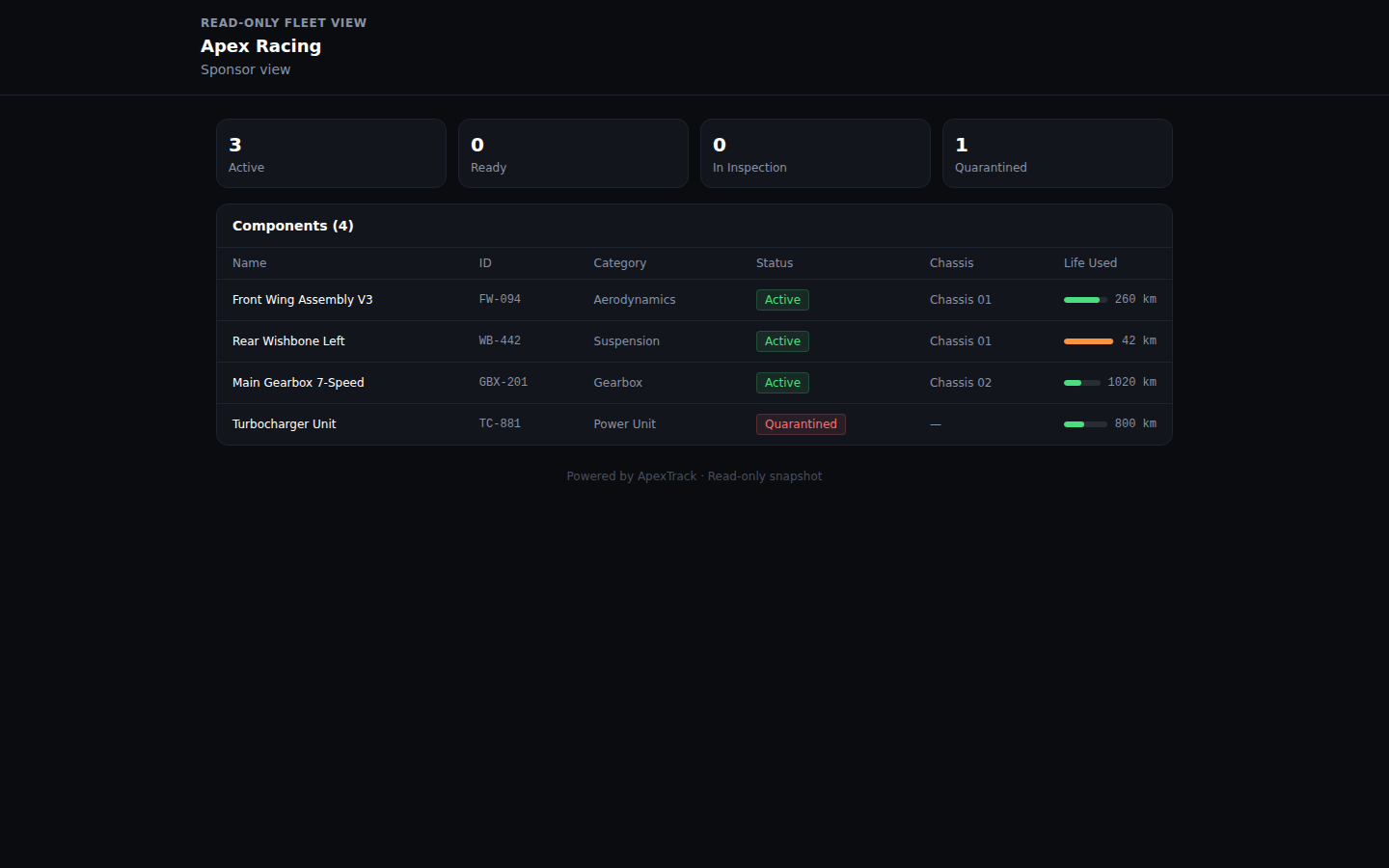
Generate a time-limited, token-based public URL that renders a live fleet snapshot for technical directors, team owners, or FIA scrutineers — without requiring a login.
- Admin generates named tokens with optional expiry from the Admin panel
- Public URL renders a status dashboard and full component table
- Token validated server-side — no client credentials, no guessable URL
- Revoke instantly; expired tokens return 404
Public REST API
Elite-tier teams can push live fleet data into external dashboards, timing systems, or CI pipelines. API keys are generated client-side and SHA-256 hashed before storage — raw keys are never persisted.
- GET /components — full component list with mileage and live status
- GET /chassis — all chassis for the team
- POST /sessions/mileage — insert a session and cascade mileage to all assigned components
- Named API key management in the Admin panel with last-used timestamp
- 1,000 requests per hour per team, enforced server-side
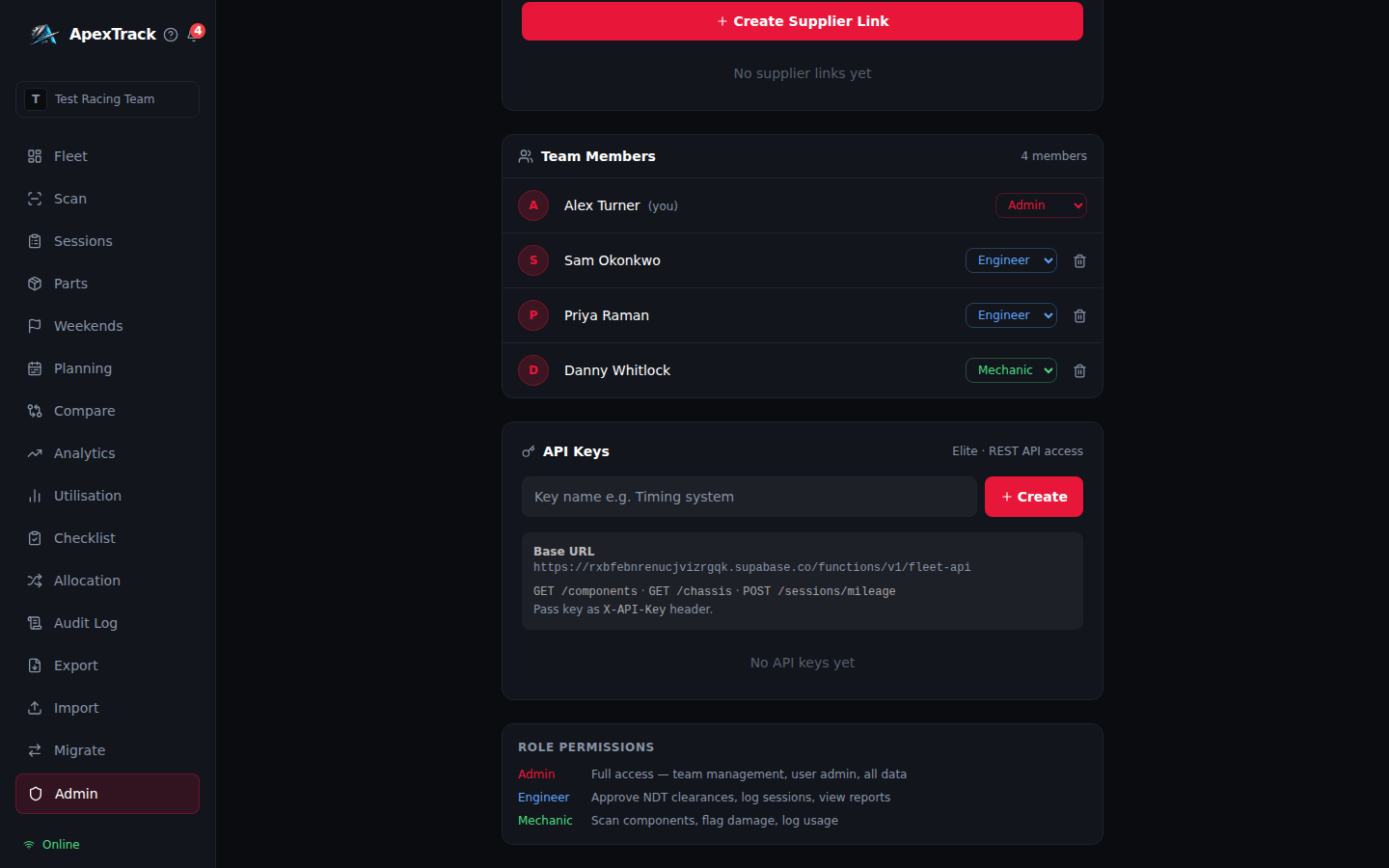
Race Weekends
A race engineer thinks in events, not runs. Group the sessions of one weekend — FP1 through to the race — and read mileage and component risk per event instead of per session.
- Circuit, date range, cars entered and planned distance per car
- Per-chassis planned-vs-actual distance, with every session rolled up beneath
- Risk forecast projected against the distance remaining, so it tightens as the weekend runs rather than double-counting completed sessions
- Session types (Practice / Qualifying / Race / Test); picking a weekend pre-fills the circuit
- Deleting a weekend keeps its sessions — their mileage has already cascaded into components
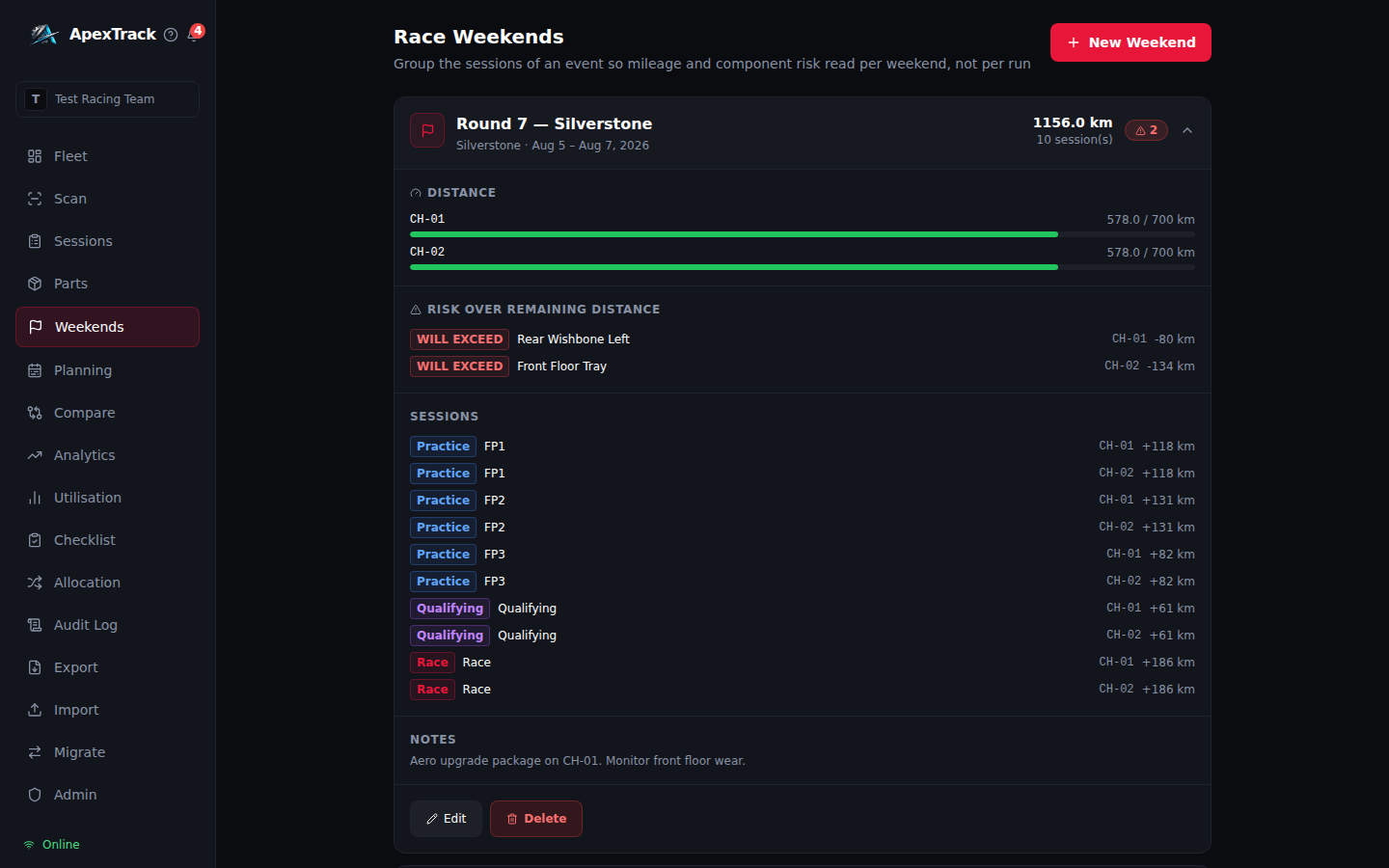
Analytics
Where the fleet is heading, not just where it stands. Utilisation trends and life-limit forecasting derived entirely from the sessions your team already logs.
- Distance logged, average per session, weekly burn rate, and the count projected to exceed within 90 days
- Fleet distance over time and distance by chassis, with a crosshair reading every series at once
- Projected time to life limit per component, at the recent burn rate of the car it is fitted to
- A part that is not fitted, or on a car that has not run, reports no projection rather than a fabricated one
- Every chart has a table view, so no value is locked behind a hover
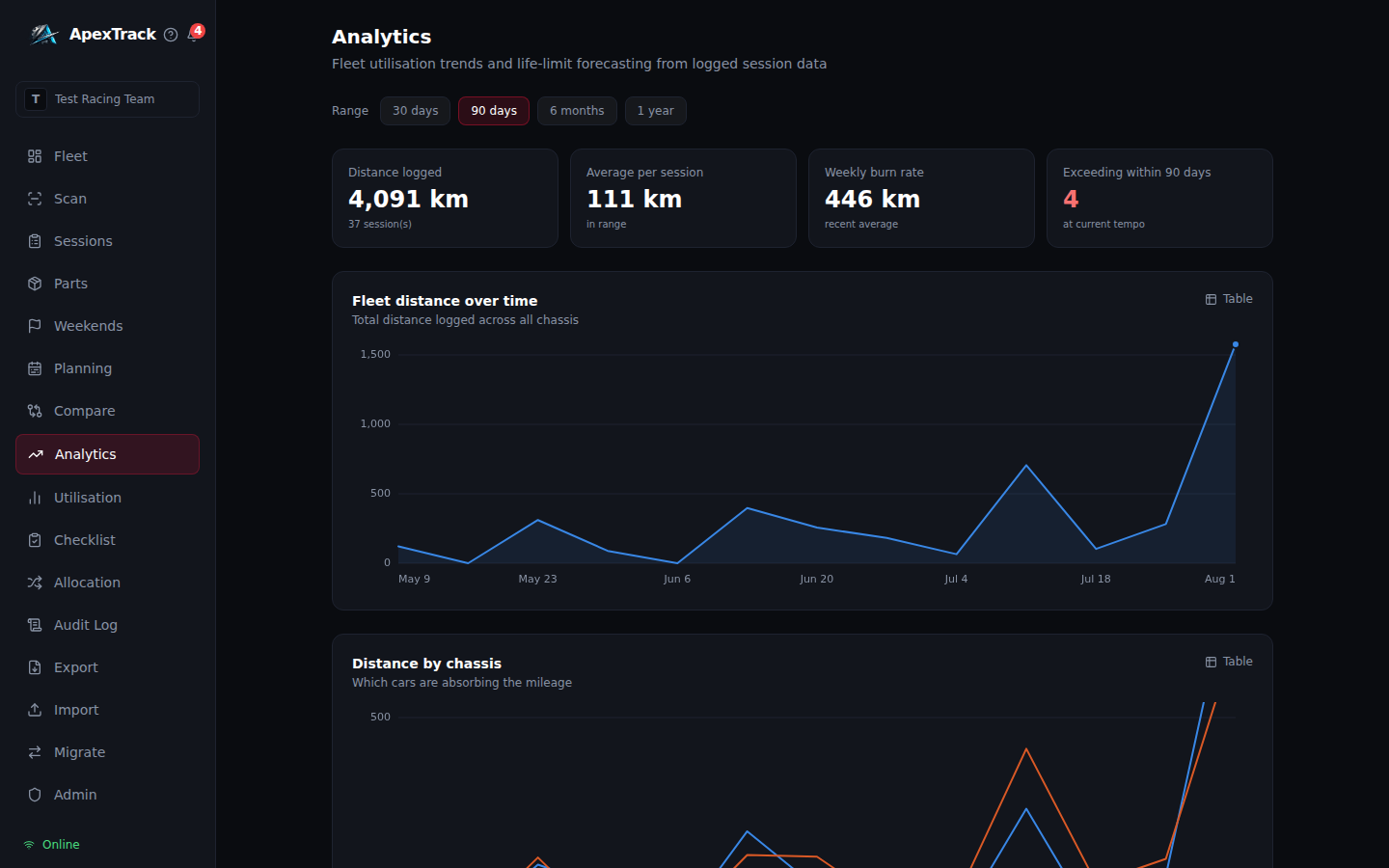
Supplier & Manufacturer Portal
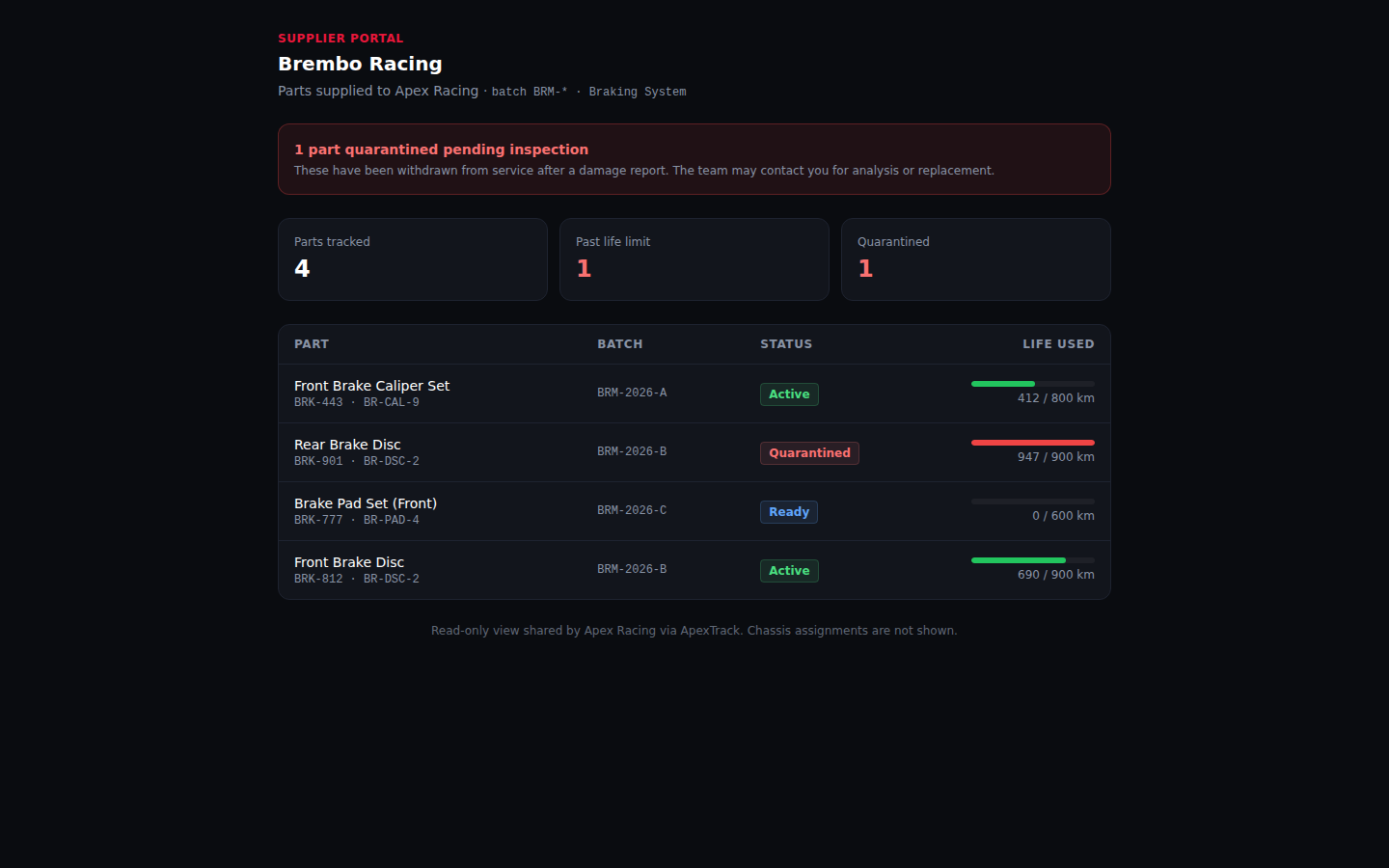
After a failure a manufacturer asks the same three questions: which of my parts, which batch, how far had it run. Send them a link instead of an email thread.
- Scoped to that supplier's own parts by batch prefix and/or category
- Scope is mandatory — the database refuses to create a link that would expose the whole fleet
- Chassis assignments are never shown. Which car runs which part stays yours
- Quarantined parts lead the page — that is why they opened it
- Admin-only to issue; revoke instantly at any time